The OpsRamp Gateway supports syslog forwarding, allowing gateway‑generated syslog messages to be forwarded to an external syslog receiver.
Enable Syslog Forwarding
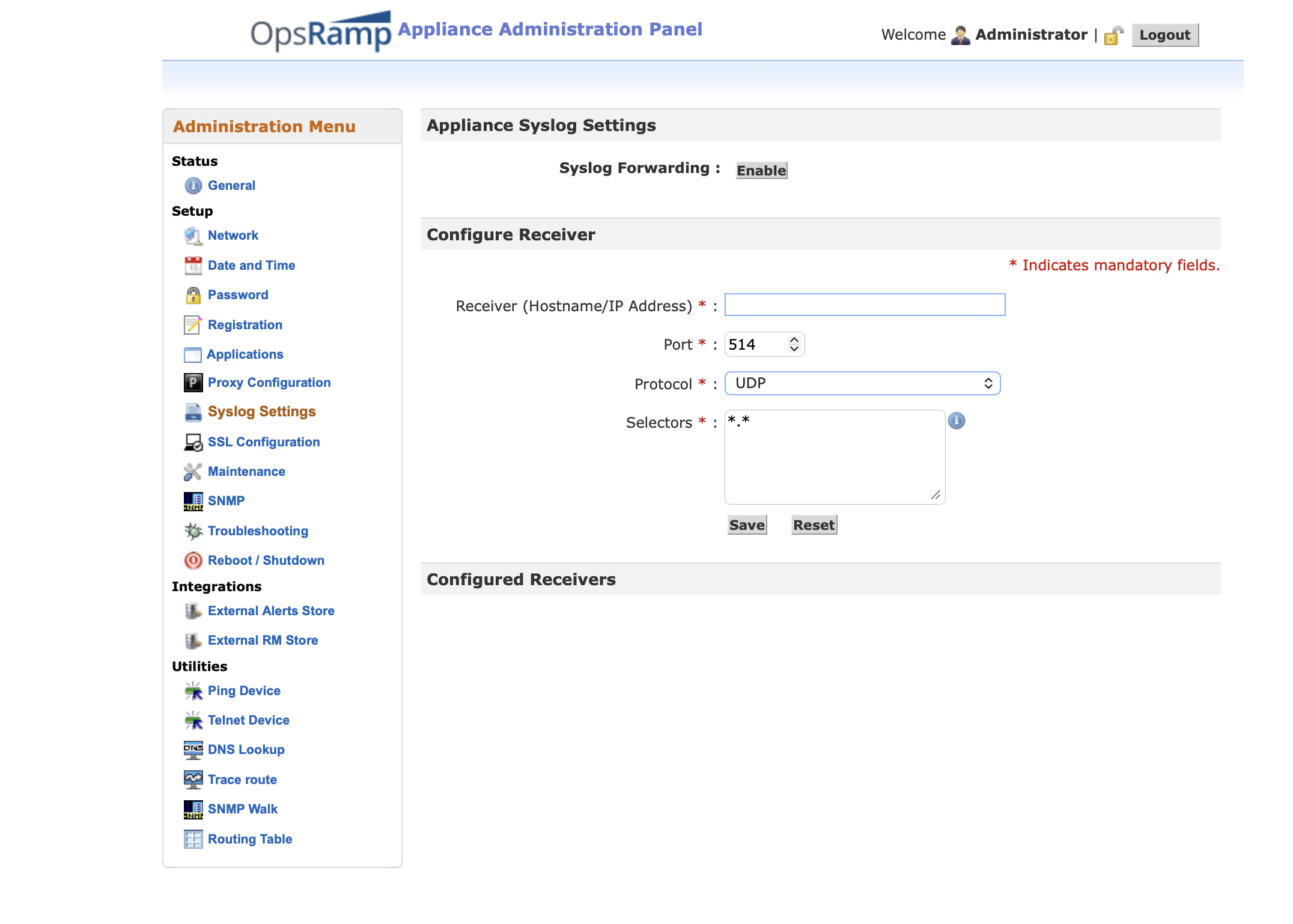
By default, syslog forwarding is disabled. To enable it, follow the steps below:
In the Configure Receiver section, enter the following details:
- Receiver’s IP Address
- Port
- Protocol
- Selectors, to define which messages are forwarded to the external receiver. See how to specify the selectors in the next section.
Click Save. Once the receiver information is saved, syslog forwarding is automatically enabled.
Specify Selectors
The selector field consists of a facility and a priority separated by a period.
<facility value>.<priority value>The following table lists the valid facility value and priority value.
| Valid facility value (case-insensitive) | Valid priority value (case-insensitive) | |
|---|---|---|
* | * | |
auth | debug | |
authpriv | info | |
cron | notice | |
daemon | warning | |
kern | err | |
lpr | crit | |
mail | alert | |
mark | emerg | |
news | none | |
syslog | ||
user | ||
uucp | ||
local0 | ||
local1 | ||
local2 | ||
local3 | ||
local4 | ||
local5 | ||
local6 | ||
local7 |
For more information and examples, click the help icon on the syslog setting page.
×![]()